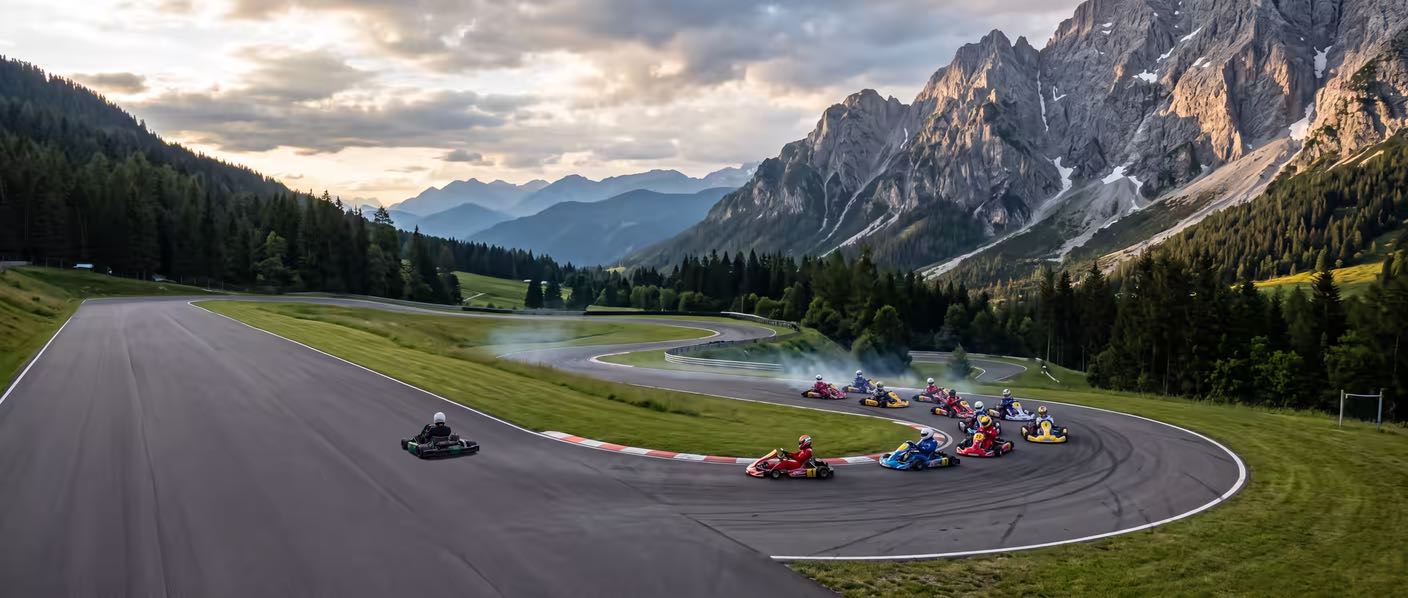
Find the time you're leaving on track.
LapperSnapper turns your logger's data into the one answer that matters — which corner cost you, and why — right on your phone, between runs. No laptop. No upload. No waiting.
Works with AiM MyChron · RaceBox · GoPro · or just your phone.
Twenty minutes between runs. That's enough.
The run ends and the feeling starts fading. Upload-and-wait apps make you sit through a round-trip — export, upload, wait — and by the time the answer lands, you're gridding up again. So the three tenths you left in Turn 4 stay a mystery. Next session, same mistake. Unless the answer is already in your hand.
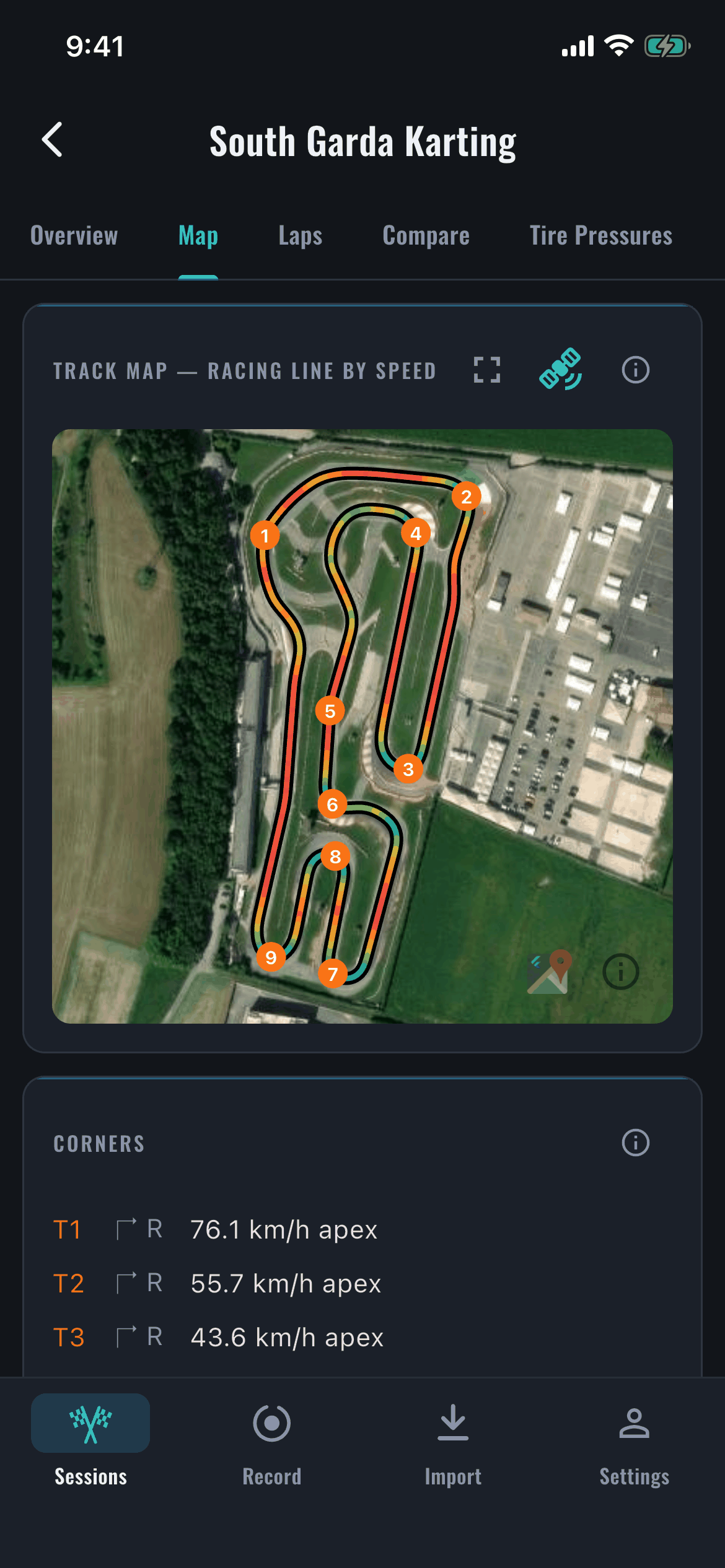
Every corner. Ranked by what it cost you.
LapperSnapper finds every turn on your lap automatically and ranks them by what they cost — time lost per corner, apex-speed deficit against your best. In plain language, not a wall of graphs. The read a data engineer gives you, before the next run.
From cooldown lap to answer in under a minute.
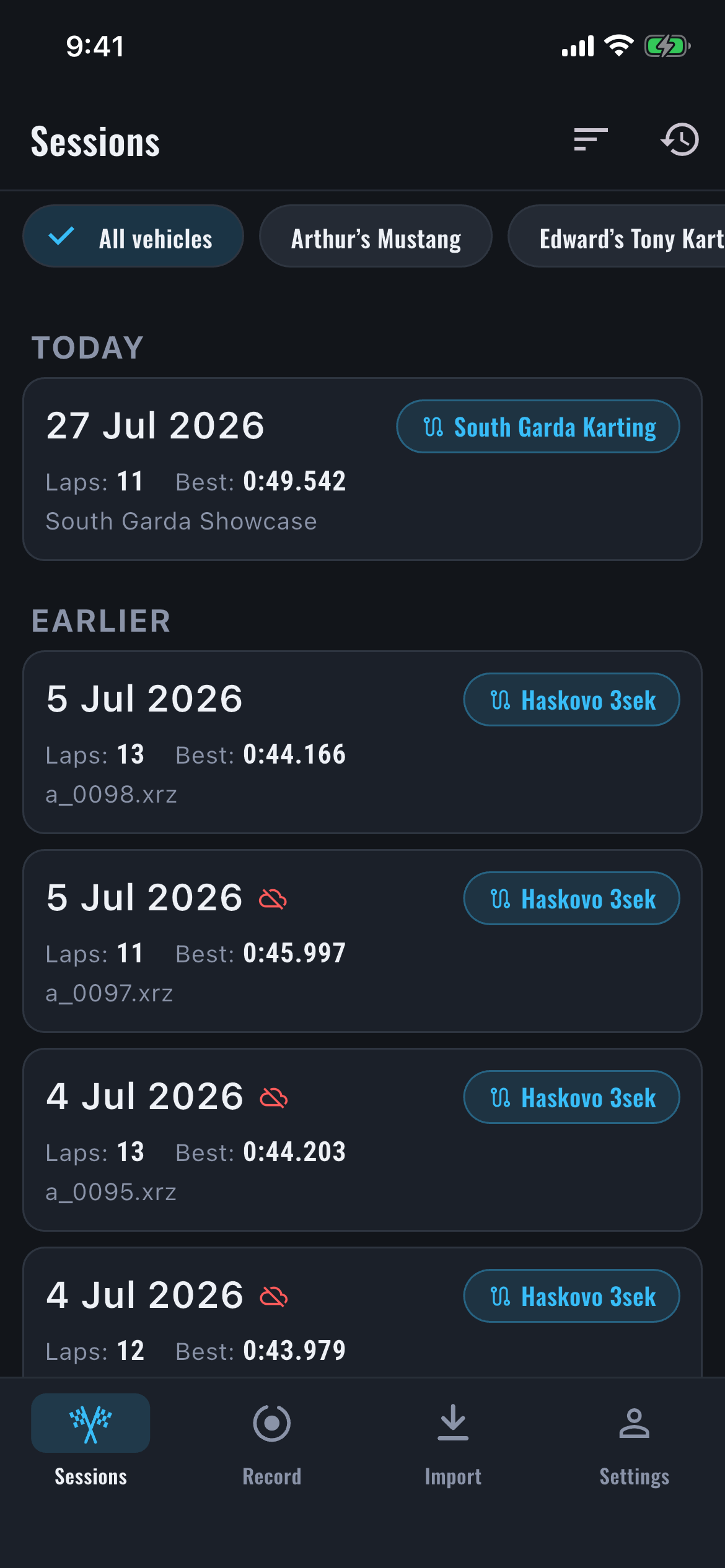
Connect or load.
Pull the session straight off your MyChron over WiFi, drop in a RaceBox or GoPro file, or record with your phone's GPS.
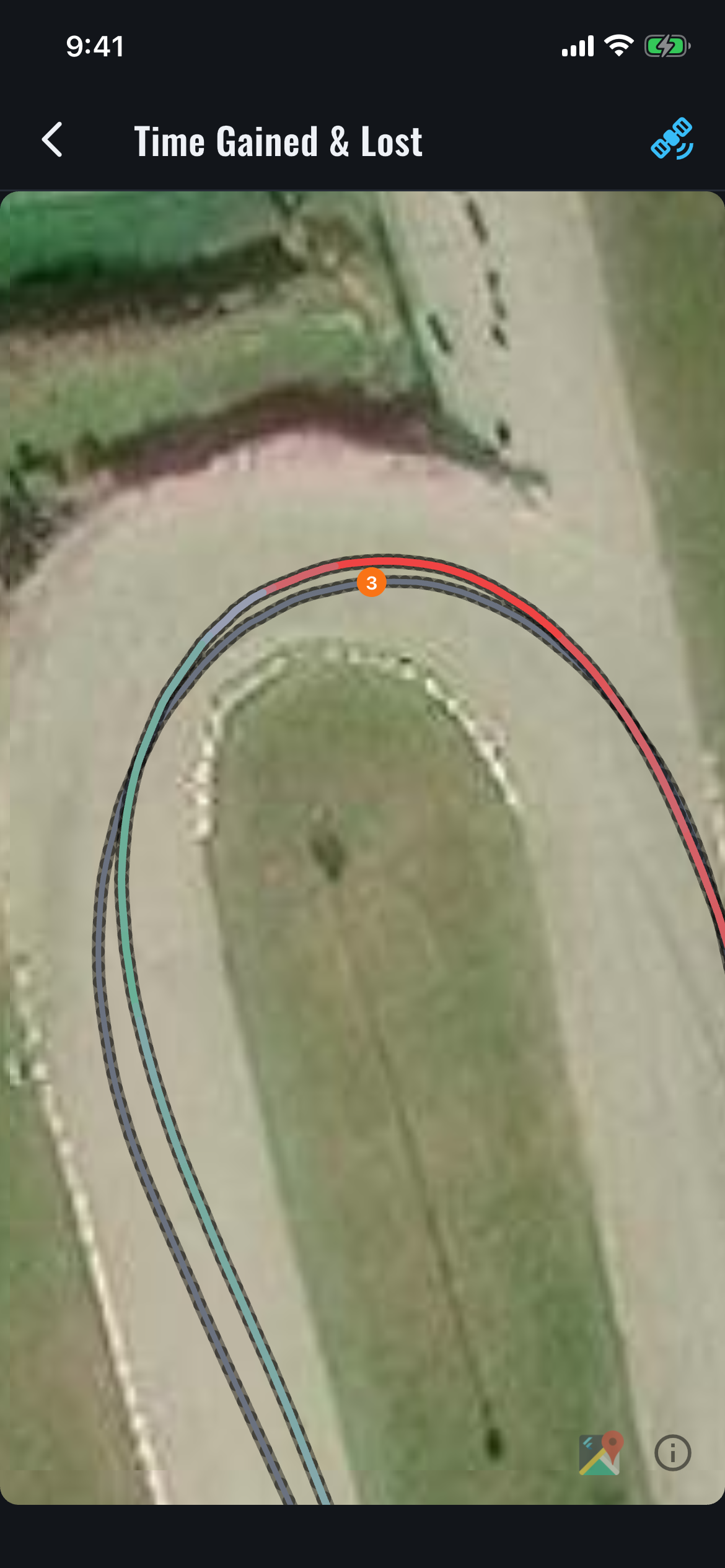
It analyzes on your phone.
Racing line, sectors, ultimate lap, corner-by-corner losses, traction — instantly, offline.
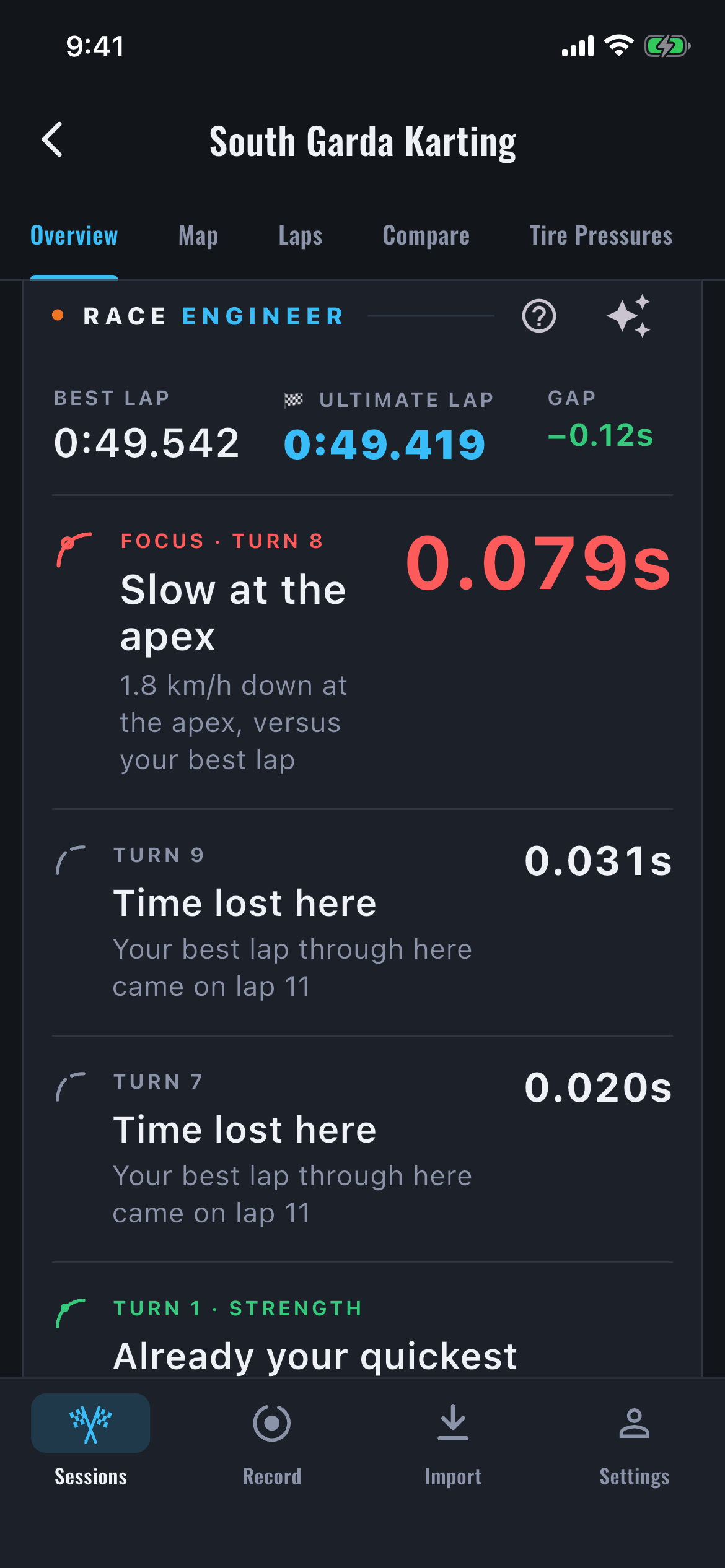
Fix it next run.
Your Race Engineer reads the corner that cost you, compares against your best, and tells you exactly where to find the time back.
What it does
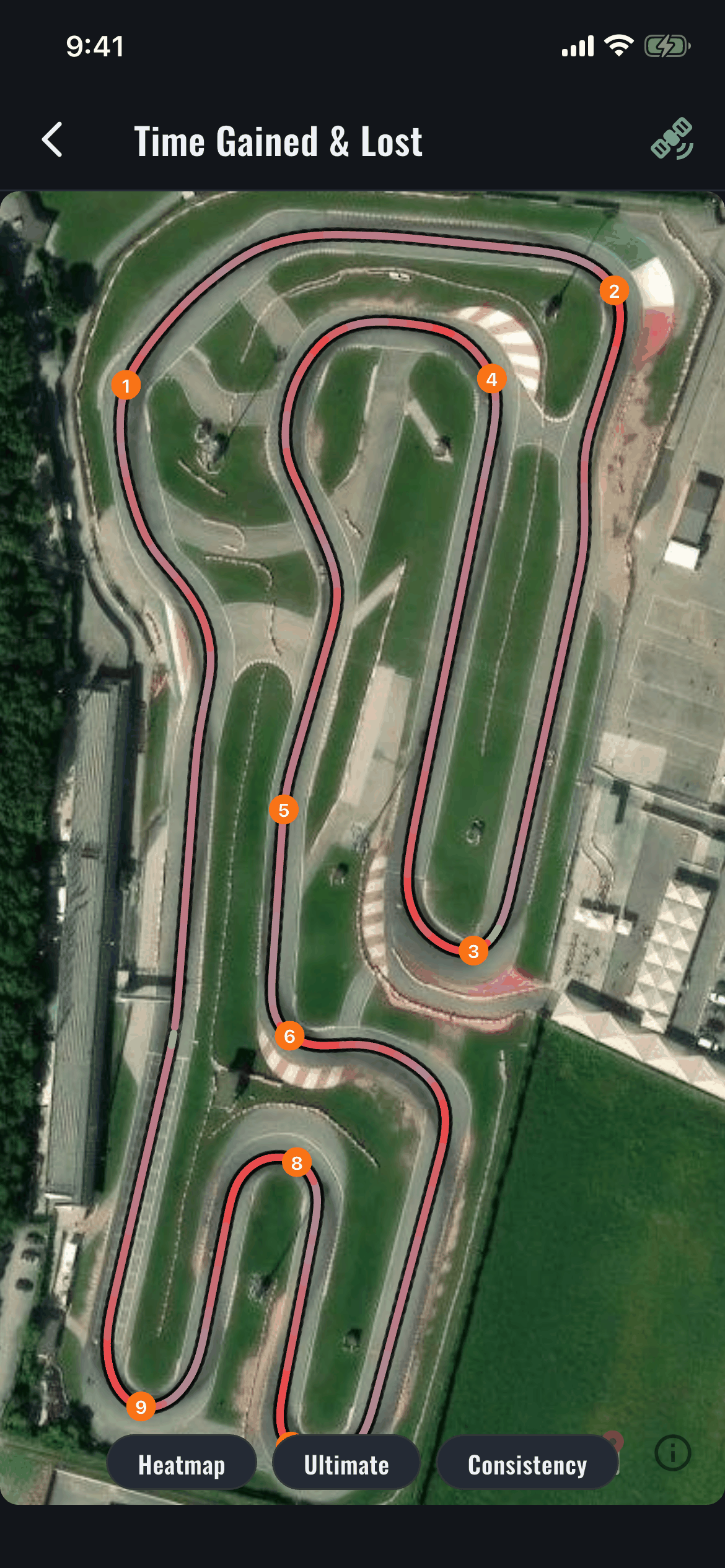
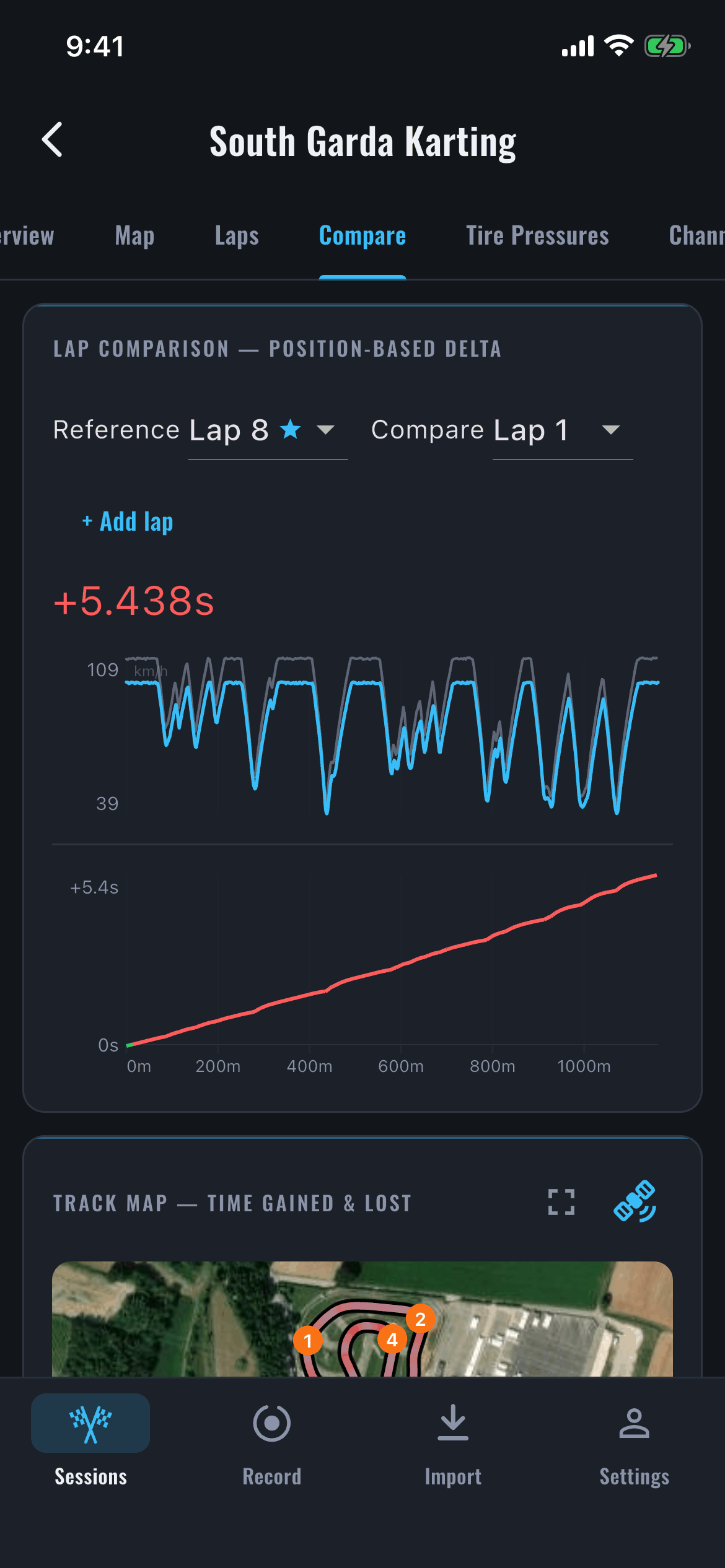
Two laps. One truth.
- Overlay any lap on your best.
- Speed and running delta by distance, synced to the map.
- Watch exactly where the gap opens, meter by meter.
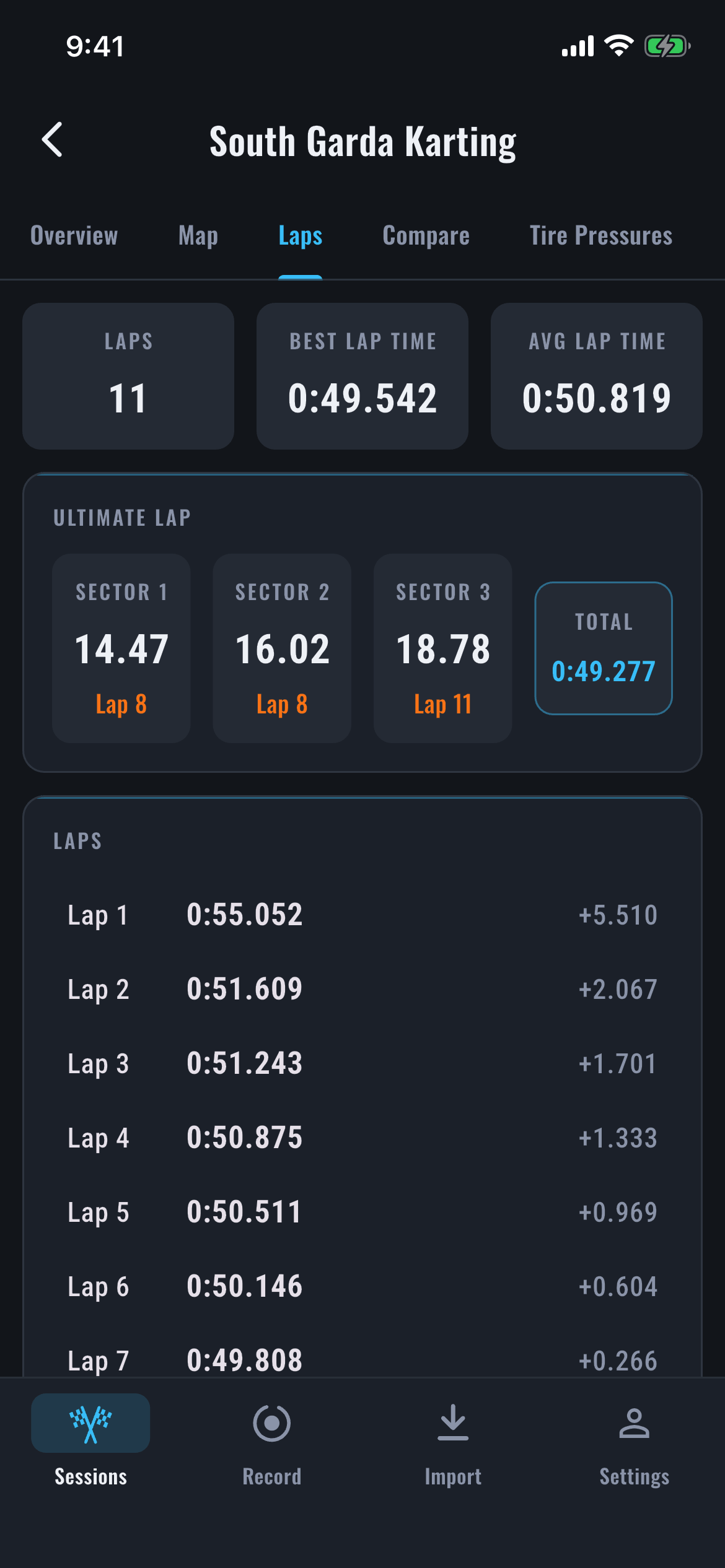
Your ultimate lap, and how you got there.
- Ultimate lap — your best sector times combined into one theoretical best.
- Every lap logged, with its gap to your best.
- See the whole session's shape, not just the highlight.
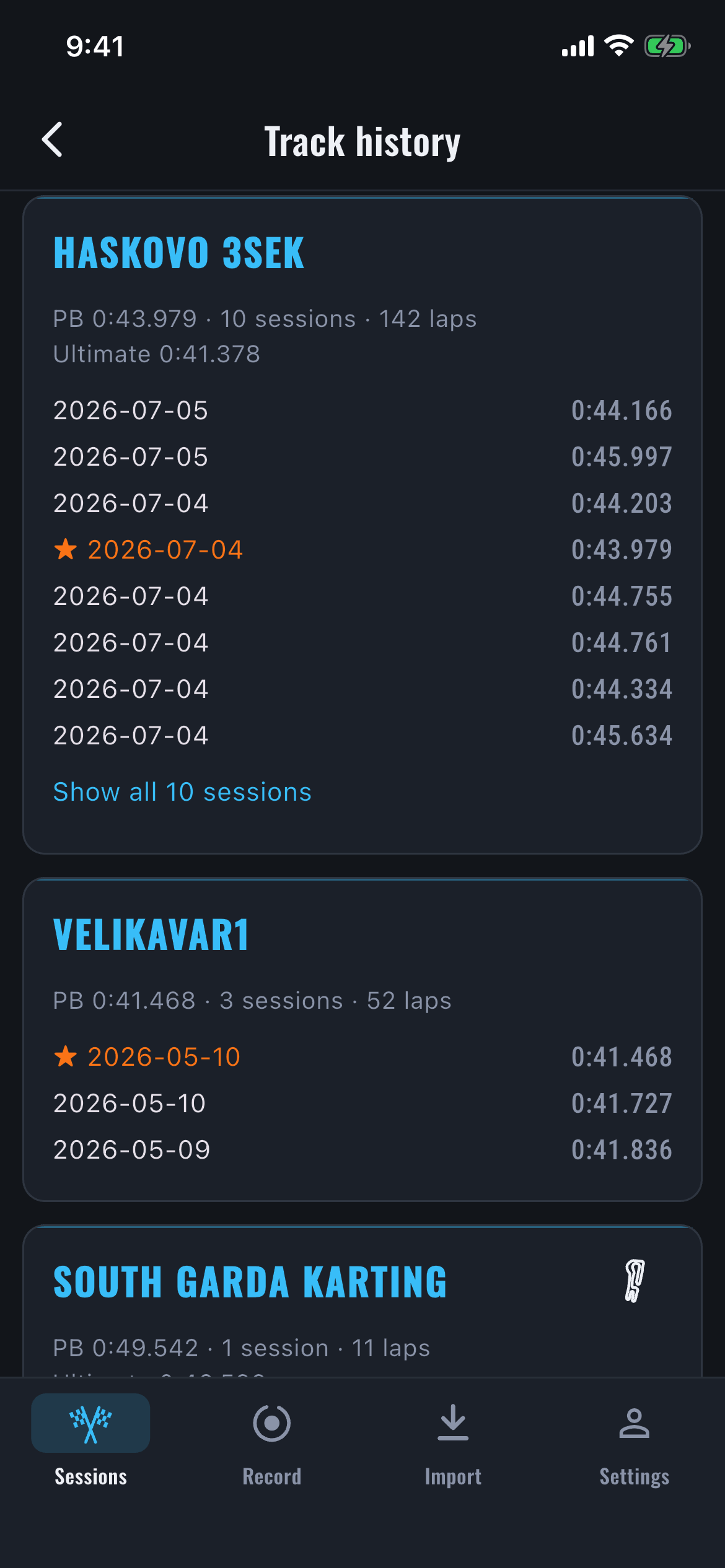
Every session stacks.
- Per-track history — every session, every circuit.
- Personal bests, and the path that got you there.
- The season's trend line, not just today's lap.
The setup, the conditions, and the lap that followed.
- One driver and one vehicle is enough — whether you make the changes or someone helps in the paddock. No Team account required.
- Start each heat from a saved baseline or the last setup, then record exactly what changed.
- Keep live weather, air density, paddock readings and the recorded session together, so you can see what worked.

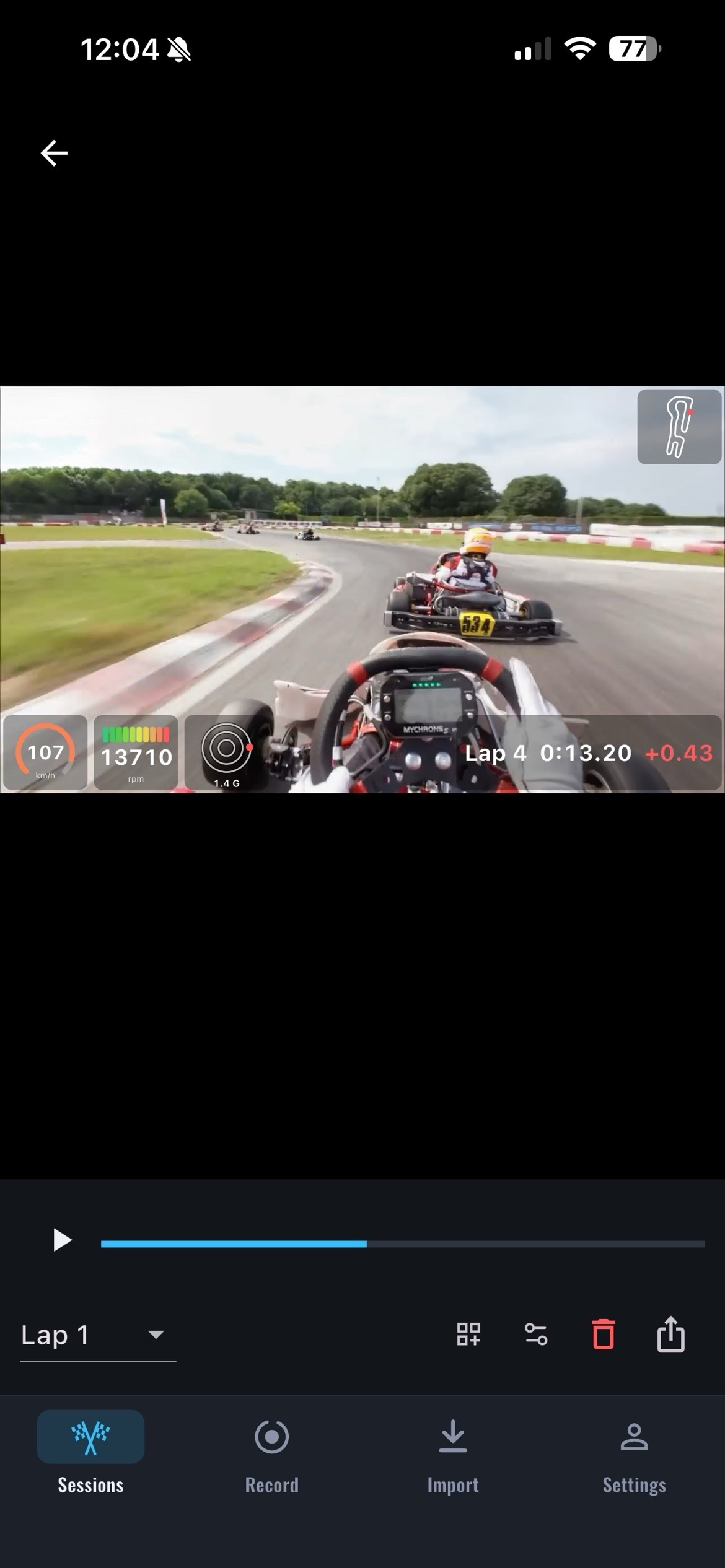
Proof you can share.
- GoPro playback with telemetry burned in — speed, delta, the map.
- Export any lap as a clip, audio kept.
- Ready for the group chat.
Professional insights. Session after session.
One session tells you where the time went today. LapperSnapper keeps a track’s sessions together and reads them as a set — so you find out that Turn 4 isn’t a bad lap, it’s a habit. And you hear it before you go back out, not after.
- Recurring corners, ranked across your last ten sessions here — and whether each one is improving or getting worse.
- Progression that means something: personal-best trajectory, lap-time consistency, and the gap to your ultimate lap.
- A spoken focus as you roll out — the circuit, and the one corner to work on today.
-
Focus · Turn 4 Slow at the apex 8 km/h down at the apex, versus your best lap0.31s
-
Turn 4 This corner keeps costing you Lost time in 4 of your last 6 sessions here4/6
-
Turn 6 Already your quickest Your best lap nails this one
Coaching more than one driver?
Karting academies and race teams get one roster, every driver's history in one place, and the same corner-by-corner coaching pointed at all of them.
One roster
Up to fifteen drivers, with real profiles — including drivers too young to hold an account at all.
Every session, attributed
Download the karts on one device and say who drove. Drivers with their own account share automatically.
Progress you can see
Open any driver and read their trend and their costliest corners across every session they've run with you.

Bring your own gear. Or none.
AiM MyChron
5, 5S, and 6. Straight off the logger over WiFi. No laptop, no Race Studio.
RaceBox
Pull recordings straight off the device over Bluetooth, or drop in the .ubx file. Full analysis from high-rate GPS.
GoPro
The .mp4 you already shot. GPMF telemetry read straight from the file, video overlay included.
Your phone
No hardware at all. Record with the phone's GPS and drive with the live HUD.
One engine behind all four.
There's no track list to be on. Your laps are the map.
Track apps race each other on library size — thousands of preset circuits, and a setup screen when yours isn't one of them. LapperSnapper skips the list: start/finish, sectors, and every corner come out of your laps automatically. Local kart track, club circuit, or a layout that changed last winter — if you can lap it, it's in.
Your personal sessions stay on your phone by default.
LapperSnapper analyses personal sessions on your phone. No upload or account is required, and it keeps working with zero signal in the middle of the paddock. When you choose cloud sync or Team history, the records needed for that feature are securely stored and processed in the cloud. That is opt-in — not the default architecture for your personal sessions.
Nothing you record stays stuck here.
Three formats, one from each side of the sport: the racing tools you're migrating from, the mapping tool everyone already has, and the spreadsheet you'd reach for anyway. Pick the one for the job in front of you.
The format racing software already speaks. No conversion step.
Plain GPS track data. Every mapping tool on earth already reads it.
A clean numeric table. comment='#' and you're in.
| Time | Lap | Speed (km/h) | Heading |
|---|---|---|---|
| 0.349 | 1 | 71.4 | 169.9 |
| 0.389 | 1 | 71.6 | 168.7 |
| 0.429 | 1 | 71.4 | 168.5 |
Why drivers switch.
| LapperSnapper | Laptop + desktop software | Upload-and-wait apps | |
|---|---|---|---|
| Analyze at the track | ✓ on your phone | ✗ needs a PC | ~ after a round-trip |
| Works offline | ✓ | ✓ | ✗ |
| Corner-by-corner coaching | ✓ | manual | limited |
| Your data stays yours | ✓ on-device | ✓ | ✗ uploaded |
| Works phone-only | ✓ | ✗ | ~ |
Free forever. Pro when you're chasing tenths.
Full session analysis is free — every device, no account, no card.
Pro adds coaching on every corner, your whole season's history, and the live HUD.
FAQs
Do I need a data logger, or will my phone work?
Your phone works. Hit Record and it logs the session with its GPS — that's the full analysis, not a preview. A MyChron, RaceBox, or GoPro adds channels and resolution, but the engine behind the answer is the same one.
Which MyChron models does it read?
MyChron 5, 5S, and 6, with GPS. Join the logger's WiFi and your phone pulls sessions straight off it between runs — no SD card, no laptop, no Race Studio.
Does it work at a track with no signal?
Yes. The analysis runs on your phone, not on our servers, so it works in airplane mode in the middle of the paddock. Nothing leaves your device unless you switch on cloud sync.
Is this for karting or for cars?
Both, and track days. It finds the corners on whatever circuit you're on and tells you which one cost you the most — the read doesn't care what you're driving.
Do I have to set up the track first?
No. Start/finish, sectors, and every corner come out of your laps automatically. Load the session and the answer's already there.
iPhone and Android?
Both.
How accurate is phone GPS next to a real logger?
Your phone fixes about once a second — a point every 15 to 30 meters in a kart, more in a car. Enough to time laps, draw your line, and name the corner that cost you. A RaceBox samples 25 times faster, so its apex speeds and sector deltas are sharper. Start with the phone; the logger raises the resolution, not the verdict.
What if I run an Alfano, or something else?
Not yet. MyChron, RaceBox, GoPro, and your phone are what's supported today. Tell us what you run — it's how we decide what's next.